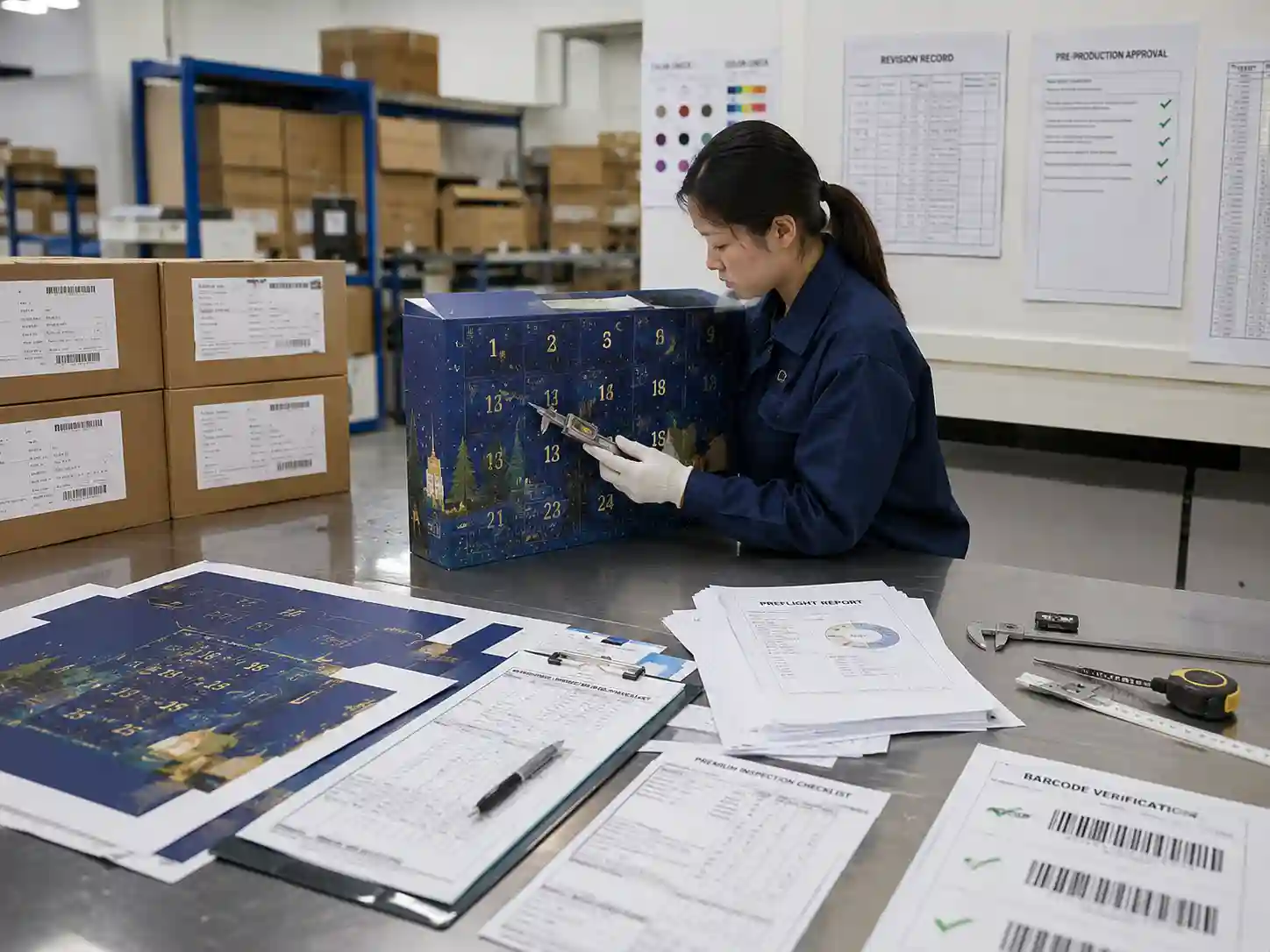
Quick answer: The most common advent calendar artwork preflight errors involve mismatched dielines, missing bleed or safe areas, incorrect artwork layers, unresolved fonts, barcode placement, color specification problems, multilingual copy issues, and incomplete approval records. Most sampling delays occur because files require correction before proofs or physical samples can be produced. A structured preflight review with documented approvals helps identify these issues before engineering and print preparation begin.
What preflight errors most often delay advent calendar sampling?
Most delays are caused by artwork that cannot be released safely into production. Preflight is not only a software check—it is a technical review confirming that design files match the approved structure, print process, and product requirements.
For advent calendar packaging, preflight typically verifies:
- Approved structural dielines
- Bleed and safe area compliance
- Artwork layer organization
- Color definitions
- Barcode readability
- Multilingual copy placement
- Linked image quality
- Output settings for finishing processes
When one of these elements fails review, suppliers usually pause sampling until corrected artwork is received.
Why do dieline mismatches create sampling delays?
A design can appear correct on screen while failing to match the latest structural drawing. Even small structural revisions may change panel dimensions, fold locations, perforated doors, glue areas, or locking tabs.
Typical problems include:
- Artwork placed on an obsolete dieline revision
- Door numbers no longer matching compartment locations
- Graphics crossing newly adjusted fold lines
- Registration marks remaining inside printable artwork
- Glue flaps covered by decorative graphics
Verification should compare the artwork revision against the approved engineering drawing before proof generation.
How do bleed and safe area problems affect production?
Advent calendars contain numerous die-cut doors, folds, perforations, and narrow panels. Artwork positioned too close to these features increases production risk.
Preflight should confirm:
- Bleed extends beyond all trim edges.
- Important text remains inside safe areas.
- Door numbers avoid perforation bridges.
- Small graphics are not positioned on fold creases.
- Legal information remains readable after folding.
Exact bleed and safety dimensions vary with the approved structural drawing and manufacturing process, so the latest engineering files should always be used.
Which artwork layer mistakes are commonly discovered?
Production files often contain multiple technical layers beyond printed graphics. Missing or incorrectly assigned layers frequently require artwork revision before sampling.
| Artwork element | Typical preflight issue | Verification method |
|---|---|---|
| Dieline layer | Printed accidentally | Confirm non-printing technical layer |
| White ink layer | Missing spot color | Review layer separation preview |
| Foil layer | Objects assigned to CMYK | Verify spot color assignment |
| Emboss or deboss | Incorrect artwork overlap | Inspect finishing artwork separately |
| Varnish layer | Incomplete coverage | Compare against approved finish map |
Layer naming conventions should remain consistent throughout revisions so engineering, prepress, and production teams reference identical information.
Why are color definition errors found during preflight?
Incorrect color settings may not appear obvious until proof preparation begins.
Typical findings include:
- RGB images instead of CMYK
- Unintended spot colors
- Duplicate Pantone definitions
- Low-resolution linked graphics
- Rich black built inconsistently across panels
Preflight software can identify many of these technical issues automatically, but visual review is still needed to confirm critical brand graphics and decorative finishes.
How do barcode and QR code problems delay sampling?
Barcodes frequently require repositioning before samples are approved. Codes placed over textured graphics, folds, varnish effects, or perforations may become difficult to scan.
Preflight normally checks:
- Minimum quiet zones
- Barcode orientation
- Contrast against background colors
- Placement away from folds and door cuts
- Correct barcode content supplied by the customer
Engineering samples often include physical scan verification before production approval.
What multilingual copy errors appear during preflight?
Small calendar compartments leave limited space for regulatory text and translated copy. Language revisions made late in the project often introduce formatting inconsistencies.
Common issues include:
- Overflowing text after translation
- Missing mandatory language versions
- Incorrect character encoding
- Font substitution
- Misaligned legal copy after folding
Preflight should confirm that every language version fits within approved safe areas without reducing readability.
What should a preflight checklist include?
A documented checklist helps ensure every artwork revision receives the same technical review before sampling begins.
| Checkpoint | Status | Evidence |
|---|---|---|
| Latest dieline revision used | Verify | Revision number |
| Bleed and safe areas confirmed | Verify | Artwork inspection |
| Fonts embedded or outlined | Verify | Preflight report |
| Images meet resolution requirements | Verify | Linked image report |
| Spot colors assigned correctly | Verify | Color separation preview |
| Barcode placement approved | Verify | Scan record |
| Multilingual copy complete | Verify | Content approval |
| Final PDF exported correctly | Verify | Output report |
What approval records should accompany the artwork?
Technical verification is more reliable when every approval is documented. Files without revision history often require additional clarification before sampling.
An approval package commonly includes:
- Approved artwork revision number
- Engineering drawing revision
- Preflight report
- Color approval notes
- Barcode verification record
- Proof approval signatures or electronic approval logs
- Sampling release record
Example approval workflow
- Engineering releases the approved dieline revision.
- Design updates artwork using the latest structure.
- Prepress completes automated and manual preflight checks.
- Color, barcode, and finishing layers are verified.
- Brand team reviews the final proof.
- Sampling is released using the approved artwork revision.
Which issues are verifiable, project-dependent, or buyer approvals?
| Category | Examples |
|---|---|
| Verifiable facts | Layer assignments, embedded fonts, image resolution, barcode scans, preflight reports, revision numbers |
| Project-dependent recommendations | Safe area dimensions, bleed values, finishing tolerances, multilingual layout, decorative effects |
| Buyer approvals | Final artwork revision, brand colors, legal copy, translated content, proof acceptance |
FAQs
Should every artwork revision receive a new preflight review?
Yes. Even minor artwork changes can affect layers, fonts, barcodes, or exported PDFs. Each released revision should be checked before sampling.
Can automated preflight replace manual inspection?
No. Software identifies many technical issues, but visual inspection is still required for graphics crossing folds, finishing alignment, multilingual layouts, and structural compatibility.
Who normally approves the final preflight package?
The approval process varies by project, but it commonly involves design, prepress, engineering, and the customer reviewing the final artwork before sampling proceeds.
What documents are most useful if artwork questions arise later?
Maintaining revision-controlled artwork files, engineering drawings, preflight reports, proof approvals, and barcode verification records provides a clear audit trail throughout sampling and production.
If you are preparing a new seasonal packaging project, explore our advent calendar box buying guides, learn about our custom advent calendar box services, browse our custom advent calendar box products, or request a custom quote to discuss artwork preparation before sampling begins.