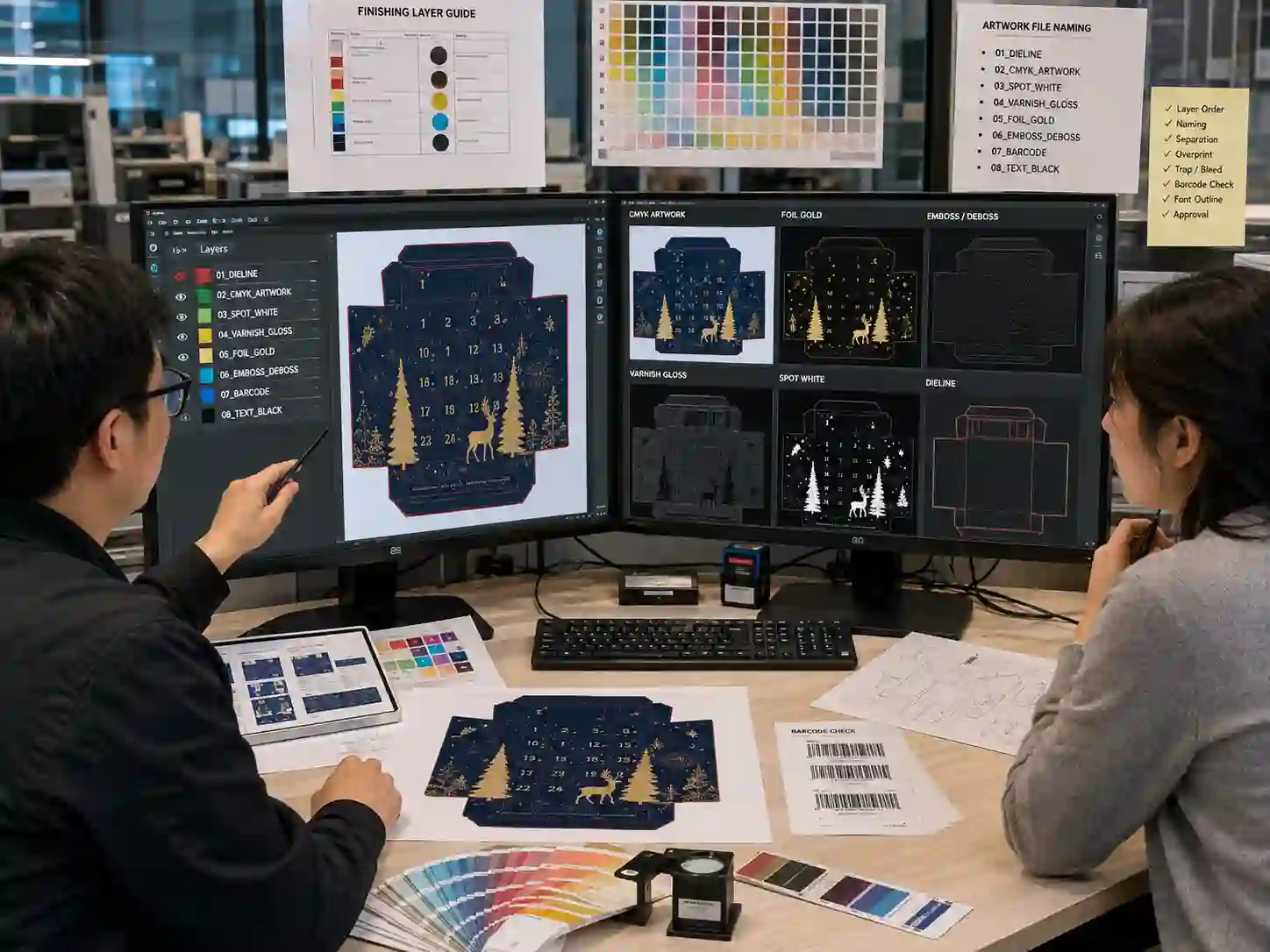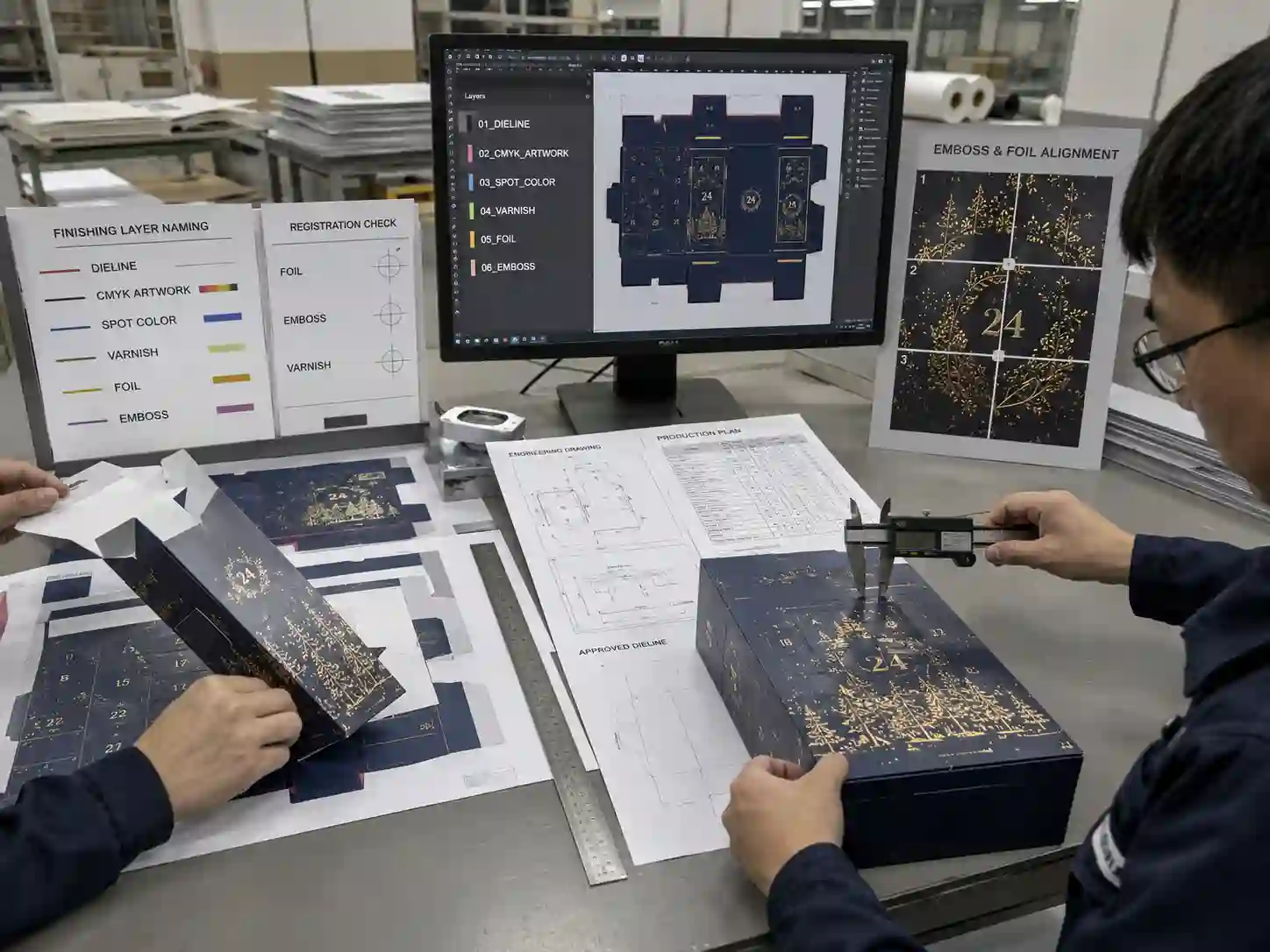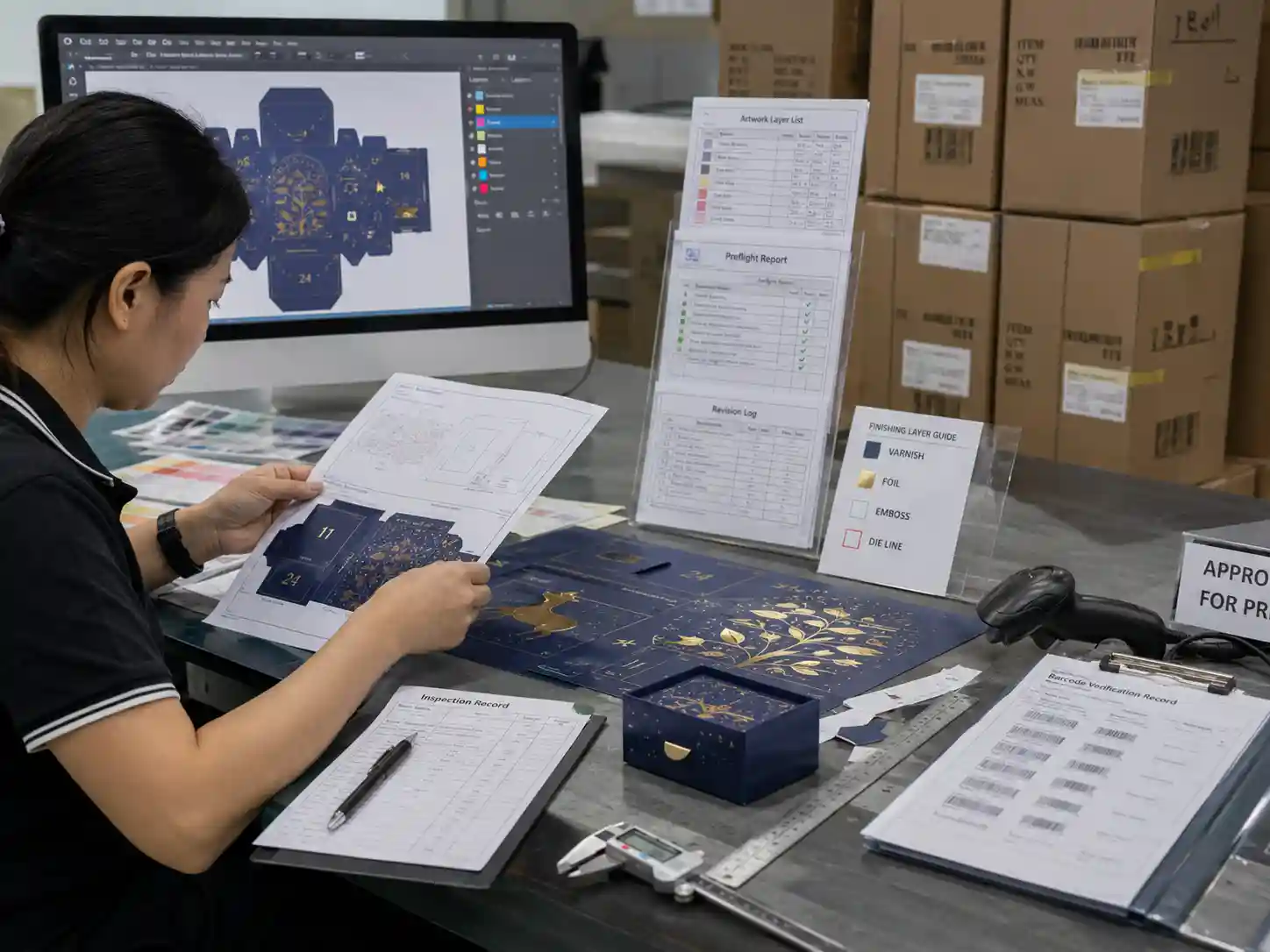
Quick answer: The safest way to manage foil emboss varnish artwork layers is to give every finishing process its own clearly named spot-color layer using consistent naming conventions, separate objects, and documented approval notes. Layers should never rely on color alone to identify production finishes. Clear layer names, locked dielines, and preflight checks help designers, prepress operators, and printers confirm exactly which artwork receives foil, embossing, debossing, or varnish before sampling and production.
Why do artwork layer names matter?
Artwork files often contain multiple printing and finishing processes that look similar on screen but require different production tools. If finishing layers are poorly named, a printer may misunderstand which areas require foil stamping, embossing, spot UV, or protective varnish.
Good layer naming improves communication throughout design, prepress, sampling, approval, and manufacturing without changing the artwork itself.
For advent calendar packaging, multiple decorative finishes frequently overlap with structural features such as folds, perforated doors, glue areas, and score lines. Clear layer organization reduces the chance of expensive revisions during preflight.
What naming convention works best?
Use short, descriptive names that identify the manufacturing process instead of the visual appearance.
| Artwork Layer | Recommended Name | Purpose |
|---|---|---|
| Dieline | DIELINE_DO_NOT_PRINT | Structural reference only |
| Cutting | CUT | Knife cutting path |
| Creasing | CREASE | Fold lines |
| Foil | FOIL_GOLD | Hot foil stamping |
| Silver Foil | FOIL_SILVER | Alternative foil finish |
| Emboss | EMBOSS | Raised surface |
| Deboss | DEBOSS | Recessed surface |
| Spot UV | SPOT_UV | Gloss coating only where specified |
| Matte Varnish | MATT_VARNISH | Protective coating |
| Gloss Varnish | GLOSS_VARNISH | Protective gloss coating |
| White Ink | WHITE_INK | Opaque ink for specialty substrates |
Keeping names simple makes artwork easier to understand regardless of which design software or RIP system is used.
Should each finishing process have its own layer?
Yes. Each manufacturing process should normally be placed on its own dedicated layer.
Separating finishing layers allows the prepress team to:
- Switch individual processes on or off during inspection.
- Verify registration with printed graphics.
- Export production files correctly.
- Generate finishing plates without manual editing.
- Detect overlapping finishing objects during preflight.
Combining foil, embossing, and varnish on one layer increases the risk of production mistakes, particularly on complex seasonal packaging.
How should spot colors be used?
Layer names alone are not enough. Each finishing process should normally use a unique spot color reserved only for that production operation.
The actual spot color appearance is less important than consistency. Many suppliers use bright magenta, cyan, green, or orange purely as production indicators because these colors are easy to distinguish during review.
The important point is that every spot color matches one clearly named production layer.
How can overlapping finishes be managed?
Some premium cartons combine foil stamping with embossing or spot UV. These combinations require careful planning because different manufacturing processes interact with each other.
Instead of combining artwork objects into one layer, create separate production layers and document their relationship in the approval file.
For example:
- FOIL_GOLD
- EMBOSS
- SPOT_UV
If one finish must register exactly over another, note this requirement during artwork approval so sampling can verify alignment.
What should be checked during artwork preflight?
Before releasing files for sampling, confirm that every finishing layer is complete, correctly named, and free from unintended objects.
Preflight checklist
| Checkpoint | Verification Method |
|---|---|
| Layer names follow project standard | Artwork review |
| Spot colors match layer names | Color palette inspection |
| Dieline remains separate | Layer visibility check |
| No raster images on finishing layers | Preflight software |
| Duplicate objects removed | Object inspection |
| Foil avoids glue areas where required | Dieline comparison |
| Emboss avoids score lines where required | Engineering review |
| Barcode remains unaffected | Barcode verification |
What project details may vary?
Layer naming standards are generally consistent, but production requirements vary depending on the project.
- Some converters request uppercase layer names.
- Some require specific spot-color libraries.
- Digital embellishment equipment may require different export settings.
- Combination embossing and foil dies may have additional engineering requirements.
- Certain substrates require white ink beneath metallic finishes.
Always follow the printer’s supplied artwork specification when it differs from internal design standards.
How can buyers verify that finishing layers are correct?
Instead of relying only on a PDF proof, request production evidence before approving artwork.
Approval example
| Document | What to Verify |
|---|---|
| Layered artwork PDF | Each finishing layer can be viewed independently |
| Native artwork file | Layer names match specification |
| Preflight report | No missing spot colors or duplicate objects |
| Engineering drawing | Foil and emboss avoid structural interference |
| Physical sample | Finishes match approved artwork |
Maintaining approval records allows later production runs to be compared against the originally approved artwork, reducing the chance of unintended finishing changes.
Frequently asked questions
Can foil and emboss share one artwork layer?
It is generally better to separate them. Independent layers make inspection, editing, and production verification much easier.
Should varnish be placed on the CMYK layer?
No. Spot varnish and protective varnish should normally remain on dedicated finishing layers instead of the process color artwork.
Do layer names need to match spot color names?
Ideally yes. Matching names reduce confusion during prepress and make automated checking easier.
Should finished artwork include locked dielines?
Yes. Locking the structural layer helps prevent accidental edits while keeping folding, cutting, and finishing aligned throughout production.
If you are preparing premium seasonal packaging with multiple decorative finishes, organizing artwork layers before sampling reduces revisions and simplifies communication across design, engineering, and print production.
For additional engineering guidance, explore our advent calendar box buying guides, learn about our custom advent calendar box services, browse our custom advent calendar box products, or request a custom quote for your next packaging project.